Corporate Wellness
Corporate Wellness Posture Workshop in KL: What Teams Learn
What a practical corporate posture workshop in Kuala Lumpur can teach teams about desk setup, movement breaks and when individual support is needed.
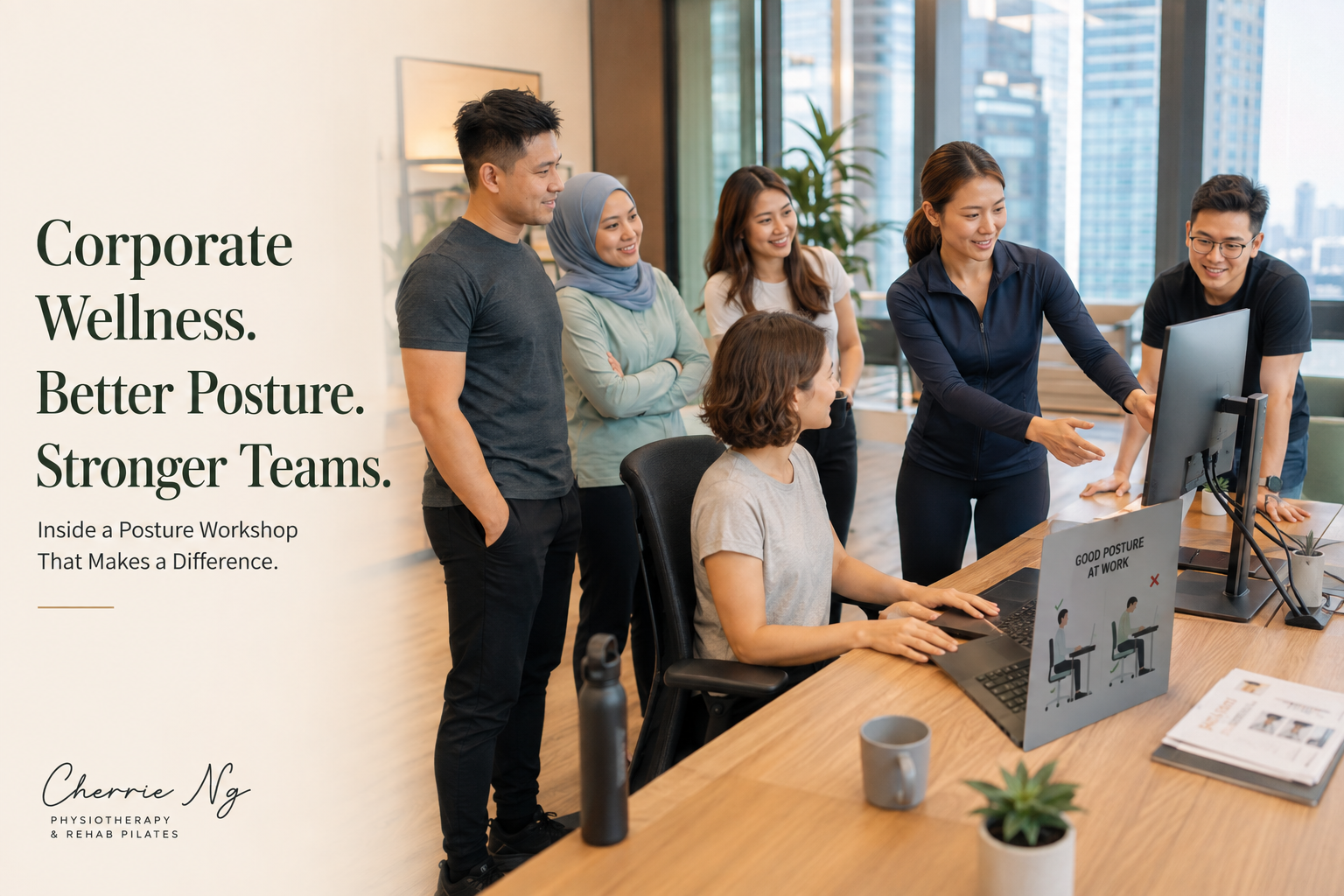
A corporate wellness posture workshop in KL should help employees make practical changes at their own desks—not pressure everyone to copy one “perfect” sitting position. A useful session teaches people how to adjust their chair, screen, keyboard and mouse, vary their position, plan movement into the workday and recognise when a general workshop is not enough.
For employers, the aim is shared workplace education. It is not a group diagnosis, a substitute for an individual ergonomic assessment or a promise that one talk will prevent every episode of neck, shoulder or back pain.
What is a corporate posture workshop?
A corporate posture workshop is an interactive session for employees who spend time at computers, in meetings or working between office and home. It can combine a short explanation, a live workstation demonstration, guided self-checks, simple movement options and questions from the team.
Malaysia’s Department of Occupational Safety and Health (DOSH) describes visual-display-unit risk reduction as a whole-system task involving workplace design, equipment, the work environment, work organisation, maintenance, training and information. Its guidance also says workstations should have enough flexibility to adapt to the individual operator. DOSH Malaysia guidelines for working with visual display units
That is why an effective workshop goes beyond telling people to “sit straight.” It helps the team understand which parts of the setup can be changed, how work habits affect exposure and where organisational support may be needed.
What employees may learn
The exact content should match the team’s work, equipment and questions. A practical workshop may cover the following areas.
1. How to perform a quick workstation self-check
Employees can learn a simple sequence they can repeat at the office or at home:
- Sit far enough back to use the chair support comfortably.
- Adjust the seat so the feet are supported by the floor or a stable footrest.
- Bring the chair close enough that the keyboard and mouse do not require repeated reaching.
- Place the main screen in front and at a readable height and distance.
- Keep frequently used items within easy reach.
- Check whether glare, small text or poor lighting is causing leaning or squinting.
The US Occupational Safety and Health Administration’s computer-workstation checklist similarly reviews back support, relaxed shoulders, elbows near the body, wrists aligned with the forearms, supported feet and sufficient space under the desk. These are useful starting points to test and adjust, not angles that every person must hold rigidly all day. OSHA computer workstation evaluation checklist
2. How to make laptop and hybrid work more adjustable
Laptop users often have fewer choices because the screen and keyboard are joined. The workshop may demonstrate how a stable laptop riser, external keyboard and mouse can separate screen height from hand position during longer work periods.
Teams can also discuss realistic alternatives for hot-desking, meeting rooms and home workstations. A full equipment setup may not be practical for every short task, so employees should learn how to prioritise the changes that matter most for the duration and type of work they are doing.
3. Why posture should be adaptable
“Good posture” is better treated as a comfortable, supported position that suits the current task and can be changed. Employees may practise moving between upright, slightly reclined, standing and other workable positions instead of bracing themselves in one pose.
DOSH advises computer users not to remain in the same position for long periods, to change posture as often as practical and to use natural screen breaks or planned breaks when needed. DOSH Malaysia guidelines for working with visual display units
This keeps the message realistic: the aim is not to label ordinary posture variation as harmful, but to make sustained work easier to manage.
4. How to build movement into real work
A workshop can help staff identify movement opportunities already present in their day, such as standing for part of a call, walking to speak with a colleague, changing tasks, refilling water or doing a brief comfortable movement between meetings.
The goal is not a compulsory stretch performed at an exact interval. Workload, symptoms, role and environment differ. A better plan gives employees permission and practical opportunities to change position without disrupting essential work.
5. When a general workshop is not enough
Group education cannot determine why one employee has pain, diagnose a condition or prescribe a personal rehabilitation programme. Someone with persistent, worsening or spreading symptoms—or concerns about numbness, weakness, previous injury or another health condition—needs appropriate individual assessment rather than advice directed at the whole room.
An individual physiotherapy or ergonomic review can explore symptoms, work demands, equipment, movement, strength and relevant health history in more detail. The distinction should be clear during the workshop so employees know what the session can and cannot provide.
What a live workshop may look like
A practical session may include:
- A short myth check about “perfect posture” and common desk-health claims.
- A live chair, screen, keyboard, mouse and laptop demonstration.
- A guided self-audit using an employee’s usual workstation or a sample desk.
- Several simple ways to change position or add movement during work.
- Examples for office, hybrid and home-working constraints.
- A question-and-answer segment based on the team’s actual tasks.
- A short action list for employees and a separate list of issues the employer may need to address.
The session should leave staff with a repeatable decision process, not a long list of rules they forget the next day.
What employers should prepare
Before arranging a corporate wellness posture workshop, it helps to clarify:
- Who will attend and what their main tasks involve
- Whether employees use desktops, laptops, multiple screens or hot desks
- Whether the team works on-site, remotely or in a hybrid pattern
- Common questions or discomfort themes, without asking employees to disclose private medical information publicly
- The room layout, screen or projector access and whether a real workstation can be demonstrated
- Which equipment can actually be adjusted or changed after the session
- Who will receive workplace issues that require follow-up
Employers should also avoid making one employee’s body or posture a public example without consent. Demonstrations can use a volunteer, the presenter or a neutral sample workstation.
Does posture training prevent workplace pain?
It would be misleading to guarantee that a workshop prevents pain or injury. A Cochrane review of 15 randomised studies involving 2,165 office workers found low- to very-low-certainty evidence that participatory or active ergonomic training may or may not prevent work-related neck or upper-limb problems. It also found uncertainty across many physical and organisational interventions. Cochrane review of ergonomic interventions for office workers
This does not mean workplace education has no value. A workshop can give employees a shared vocabulary, show them how to use existing equipment, reveal barriers that management can address and explain when individual help is more appropriate. Those are useful educational outcomes without claiming a guaranteed medical result.
Workshop, ergonomic assessment or physiotherapy?
Choose the format according to the problem:
- Team workshop: best for shared education, basic setup skills, movement options and common questions.
- Workplace ergonomic review: more suitable when the employer needs closer observation of tasks, equipment or repeated workstation issues.
- Individual physiotherapy assessment: appropriate when a person needs symptom-specific screening, movement assessment and a personalised care plan.
These options can complement each other. A workshop may identify system-level barriers, while individual sessions protect privacy and allow more specific clinical reasoning.
Related reading
- Corporate Wellness Lunch and Learn in KL: Practical Posture and Movement Topics
- Ergonomics Workshop vs Workstation Assessment: Which Does Your Team Need?
- Physiotherapist-Led Corporate Wellness: What Makes the Approach Different?
- How to Choose an Office Wellness Workshop in KL
- Corporate Pilates in KL: What HR Teams Should Know Before Booking
- Corporate Wellness Ideas in KL: 8 Practical Activities for Office Teams
- Desk Ergonomics in KL: Simple Setup Tips for Neck and Back Strain
- Neck and Shoulder Pain from Desk Work: What You Can Do
- Posture Correction in KL: Assessment, Exercises and Realistic Expectations
- Office Stretching Routine: Simple Movement Breaks for Desk Workers
- Ergonomic Assessment for Offices in KL: When Teams Need Support
Sources and clinical references
- DOSH Malaysia: Guidelines on Occupational Safety and Health for Working with Visual Display Units
- OSHA computer workstation evaluation checklist
- Cochrane review: Ergonomic interventions for preventing upper-limb and neck disorders among office workers
Frequently asked questions
How long is a corporate posture workshop?
The format depends on the team’s goals, number of participants, available space and whether hands-on workstation practice is included. Confirm the scope and timing case by case rather than assuming one fixed package.
Can the workshop be customised for our office?
It may be tailored around the team’s usual devices, job demands, hybrid-work pattern and priority questions. Share these details before booking so the proposed content can be checked for suitability.
Is it suitable for employees who already have pain?
They may still benefit from general education if participation is comfortable, but the group format does not replace private assessment. Exercises and setup suggestions should not be presented as personal treatment for an employee’s symptoms.
Where are corporate sessions available?
Corporate wellness and posture-education sessions may be arranged for organisations in Kuala Lumpur and selected Selangor areas, subject to the brief, venue, travel and availability. Send the office location, preferred date, estimated group size and goals through WhatsApp so Cherrie can confirm what is feasible.
If your team wants practical desk-setup and movement education, WhatsApp Cherrie to discuss a corporate wellness posture workshop in Kuala Lumpur or selected Selangor areas.
Foundational clinical sources and further reading
These authoritative sources provide general background relevant to this topic; they are not claim-by-claim citations. This content is educational and does not replace individual assessment, diagnosis or emergency medical care.
- What is physiotherapy? — World Physiotherapy